Nextcloud and OpenProject Integration
Nextcloud and OpenProject Integration
The integration of Nextcloud into OpenProject allows you to store your project-related files directly in your Nextcloud and link them to individual work packages. In this article, we show you the setup and functions made possible by the integration.
Nextcloud and OpenProject
With OpenProject, you can plan, execute, and manage your projects. Your Nextcloud serves as a secure storage location for your files among many other functions. By combining them, you can take advantage of both open source solutions. Through seamless integration, work packages can be managed with their associated files in both Nextcloud and OpenProject.
Features
Icon in the Nextcloud menu bar
An additional icon in the Nextcloud menu bar provides direct access to OpenProject.

Linking work packages with files from within OpenProject
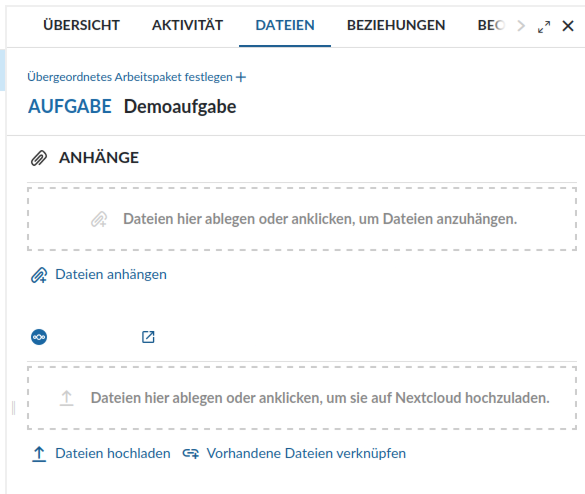
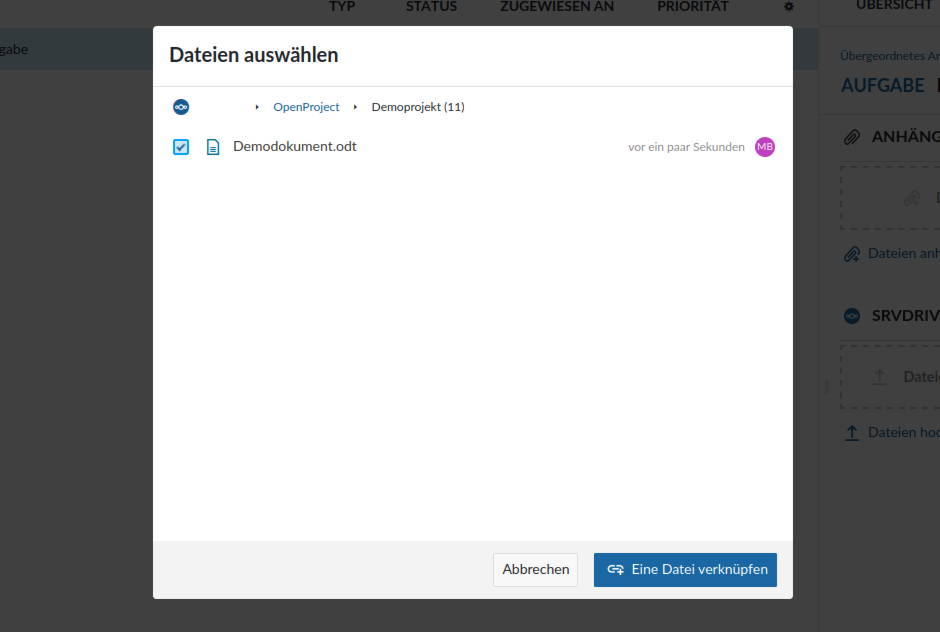
In OpenProject, you can upload new files to your Nextcloud storage or link existing files within work packages.
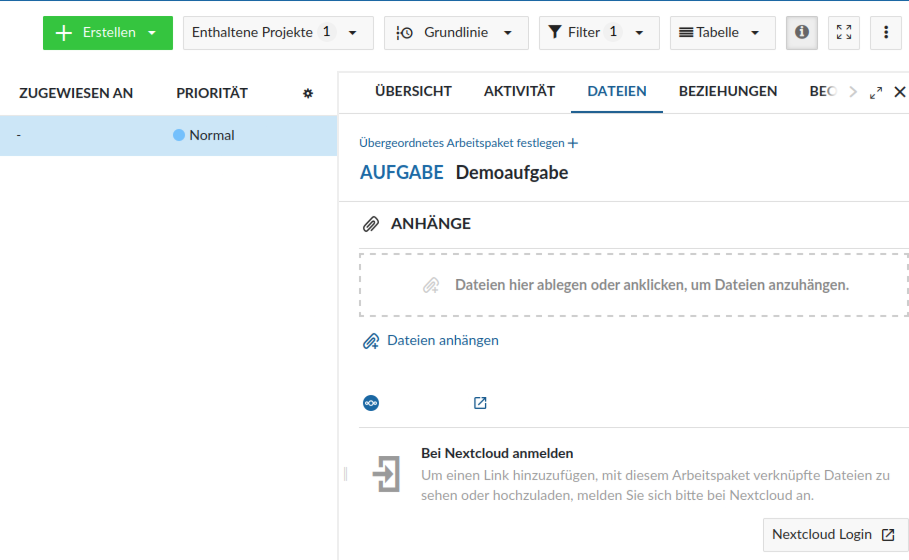
Select a work package and click on Files. Under the name of your Nextcloud, you can either upload a new file or link an existing file from your Nextcloud. With a click on the file, you‘ll be taken directly to the right location in your Nextcloud.
Linking files with work packages from within Nextcloud
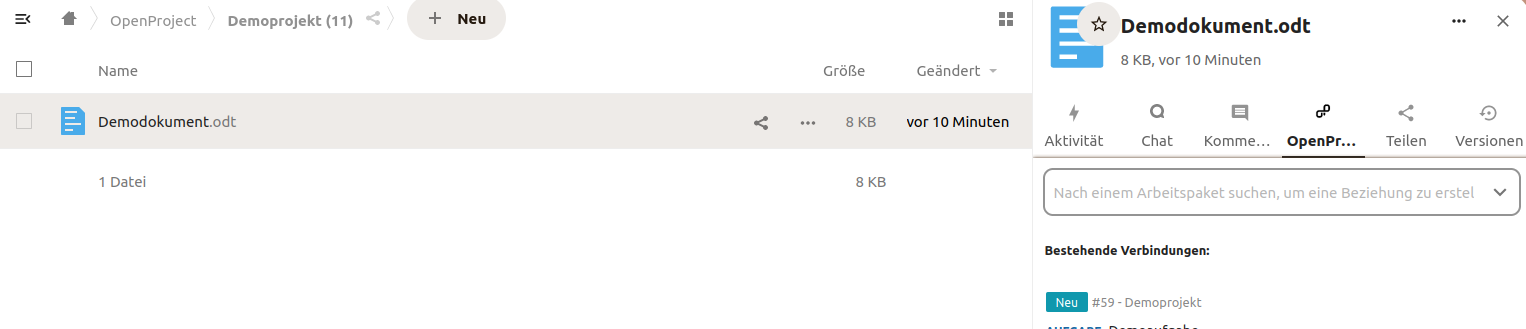
You can also link files directly from your Nextcloud to a work package in OpenProject and access it.
Click on the three dots next to a file or folder and select “OpenProject“. In the search field, you can search for the desired work package and then link it. Afterward, the work package with status and description will be displayed directly in your Nextcloud. By clicking on the work package, you‘ll go directly to the corresponding work package in OpenProject.
Basic Setup
Several steps are necessary to connect Nextcloud and OpenProject. Since a detailed guide would exceed the scope of this article, the individual steps are only briefly mentioned. If you are a PathConnect customer, we will handle the complete setup for you at no additional cost.
- Log in to both OpenProject and Nextcloud with an administrator account.
- Install the “OpenProject Integration“ app in Nextcloud
- In the administrator settings, click on “OpenProject Integration“ and enter the server address of the OpenProject instance
- In OpenProject, go to administrator settings, click on “File storage“, select “Nextcloud“ as the provider, and enter the server address of your Nextcloud.
- Copy the oAuth Client ID and oAuth Client Secret from OpenProject and paste them into your Nextcloud
- Copy the oAuth client ID and oAuth client secret from Nextcloud and paste them into OpenProject
- Copy the application password from Nextcloud and paste it into OpenProject
Project Configuration
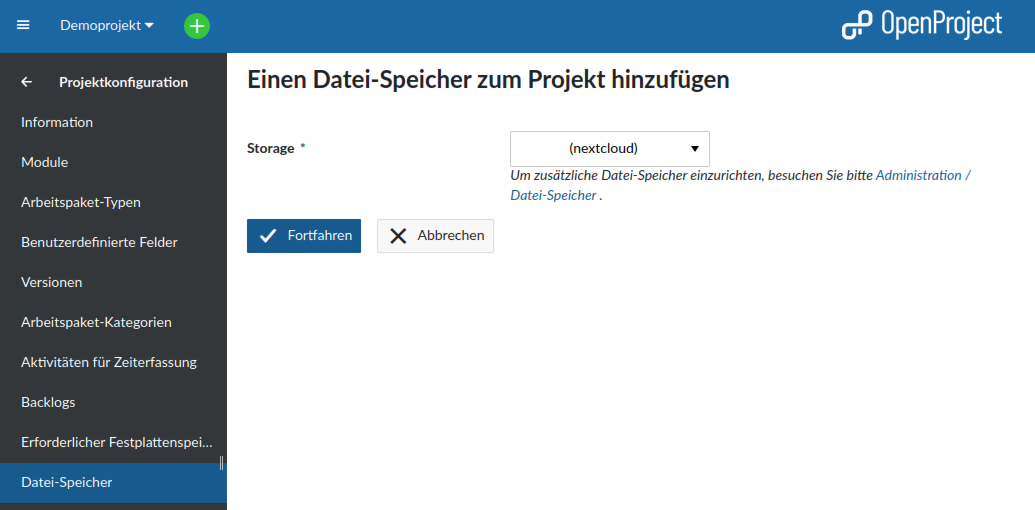
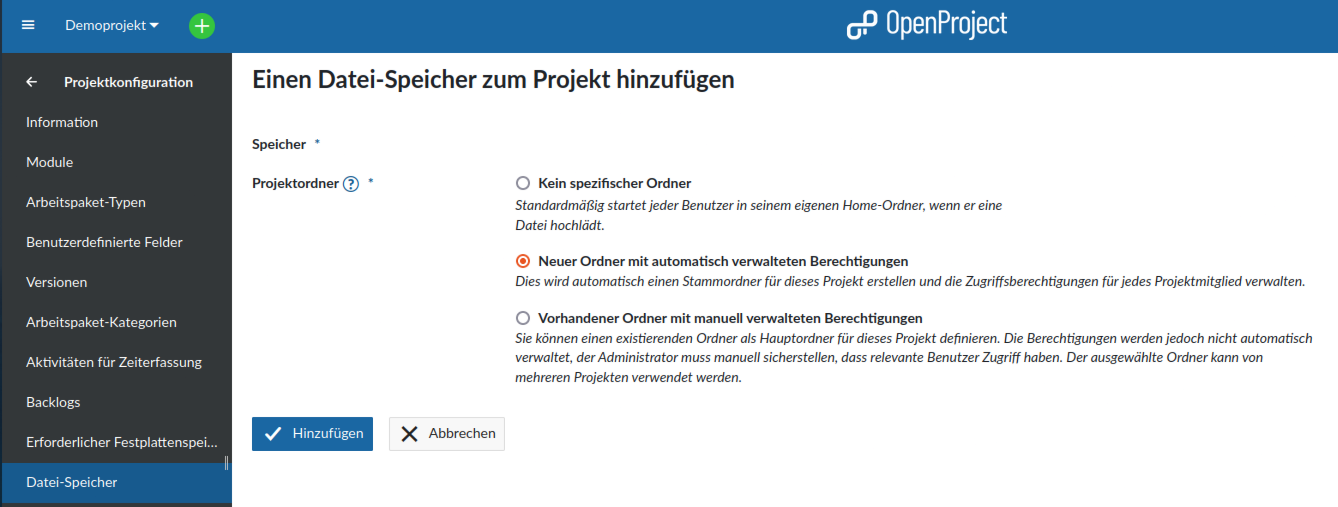
In the project configuration under “Modules“, check the box for “File storage“. After that, the Nextcloud connection can be set up for this project.
Account Setup
After the connection has been established, each OpenProject user must connect with their Nextcloud account. The basic steps are described below:
- Click on “Files“ in any work package and then on “Nextcloud Login“
- If not already done, log in to Nextcloud and confirm access from OpenProject
OpenProject at PathConnect
As another managed hosting solution, we offer OpenProjectin both the Community and Enterprise versions. You get an OpenProject instance on your own virtual server, which we maintain and care for. In addition to personal support, we also handle special configurations such as the connection to your Nextcloud.
Open Source Software at PathConnect
Simply select and get started. We customize the software exactly to your needs, take care of maintenance, and provide you with personal support. Our offer includes a variety of open source solutions that can be perfectly tailored to your requirements. Enjoy the comfort of an all-around service that includes installation, customizations, and updates, so you can focus entirely on your projects.
Related Articles
Nextcloud Kalender – Die wichtigsten Funktionen im Überblick
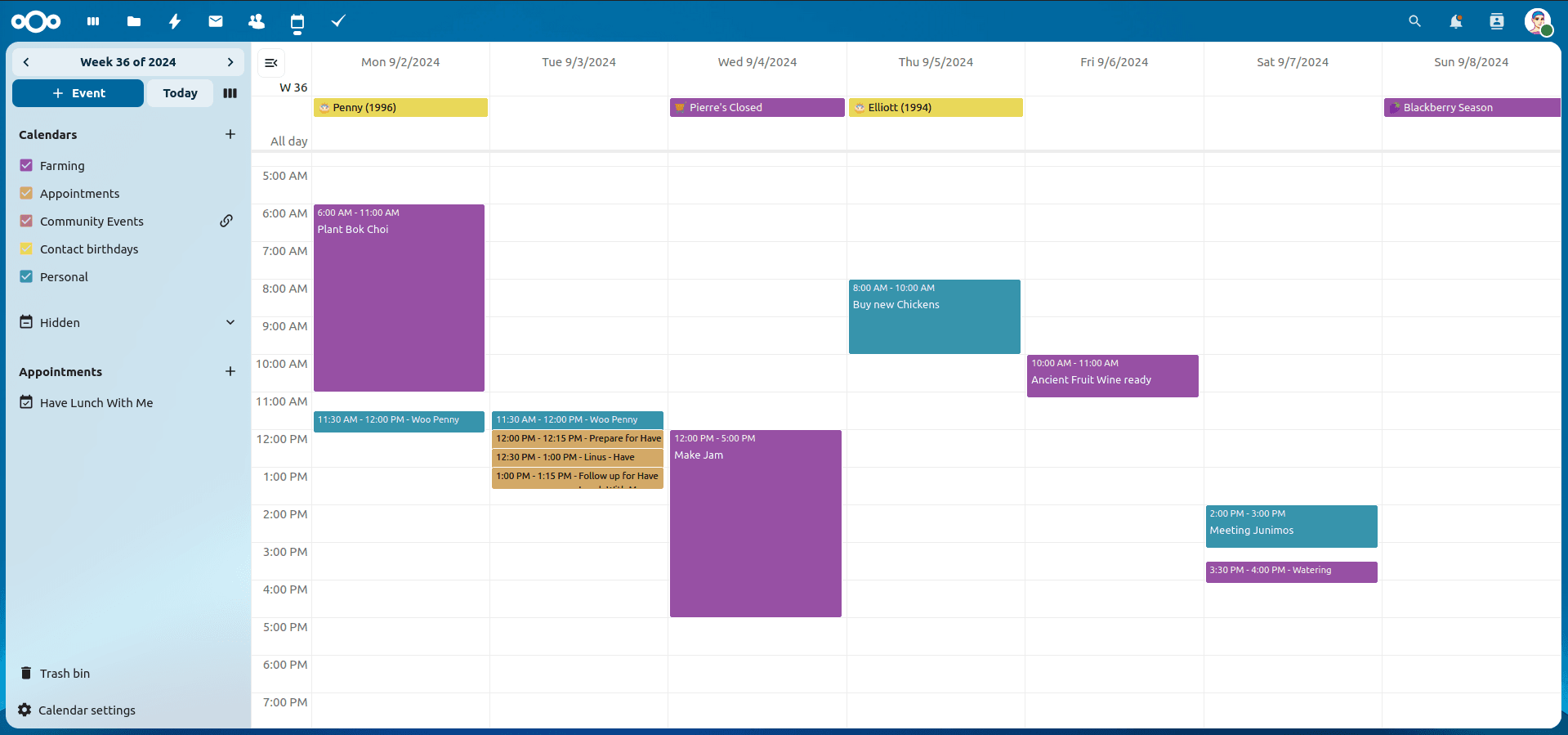
Der Nextcloud-Kalender ermöglicht dir eine einfache und datenschutzfreundliche Organisation von Terminen, Meetings und Ressourcen. Im Folgenden stellen wir dir die zentralen Funktionen vor, die deine tägliche Zusammenarbeit erleichtern.
Nextcloud Whiteboard - Creative Work in the Cloud
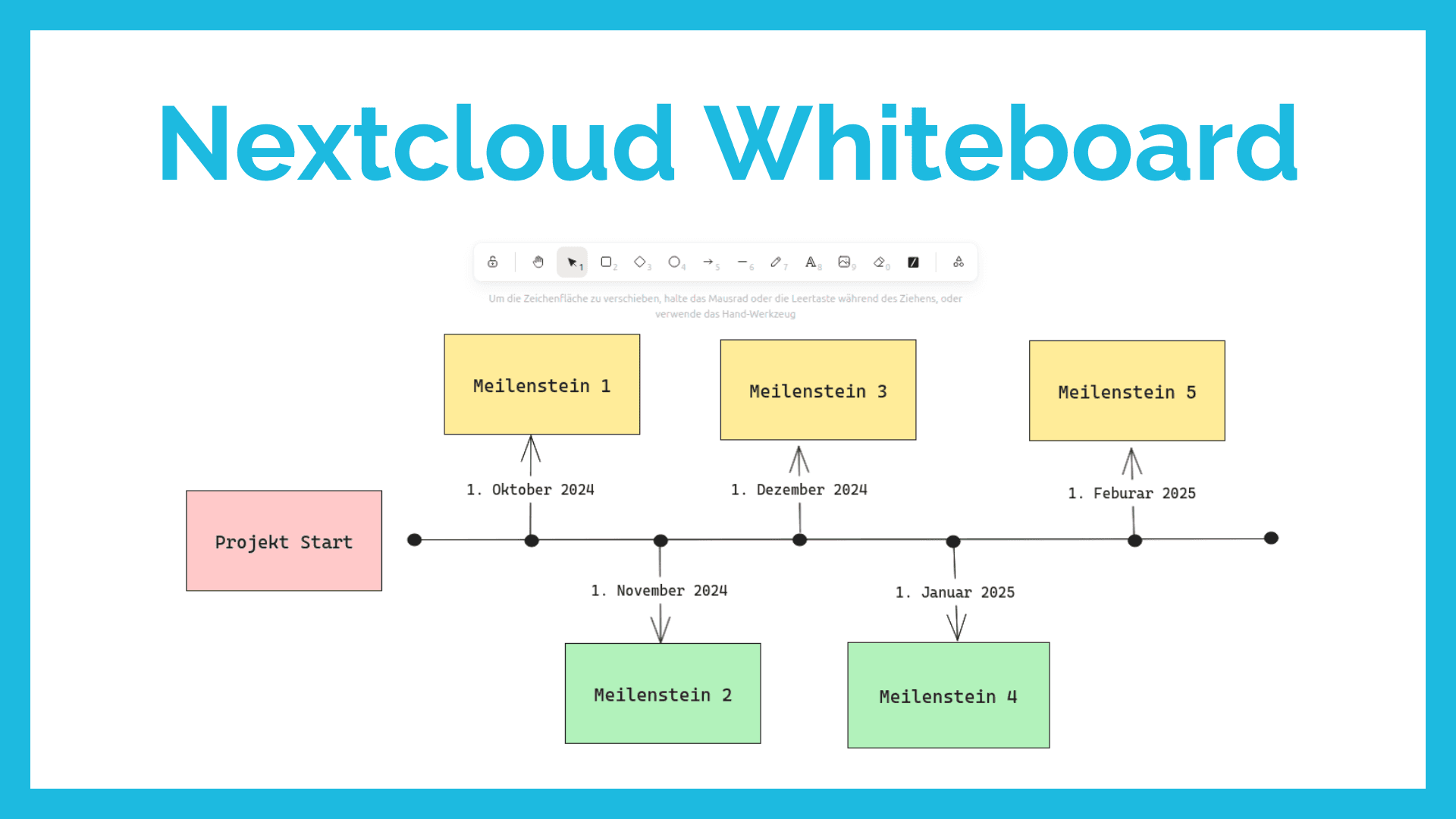
Whether brainstorming in a team, sketching new ideas, or creating an overview - with Nextcloud Whiteboard you can work creatively in the cloud. This article introduces the app and shows its most important features.
Paperless-ngx: OAuth2 für Microsoft 365 einrichten
Paperless-ngx kann Anhänge aus E-Mail-Postfächern automatisch verarbeiten. Damit dies auch mit einem Microsoft 365 Konto funktioniert, müssen einige Einstellungen vorgenommen werden. In diesem Artikel zeigen wir, was zu tun ist, damit die Anbindung funktioniert.